




News
The Role of Refurbished Electronics in Fighting E-Waste in South Africa

Electronic waste is one of the fastest-growing waste streams in the world, and a large share of what businesses throw out is not genuinely worn out. Walk through the storeroom of any medium-sized South African business and you will find a stack of laptops that were replaced on schedule rather than because they stopped working. Reusing that hardware does more for the e-waste problem than any recycling programme, because a machine that stays in service never becomes waste in the first place.
Key takeaways
- Most retired business computers still work. They are replaced on a policy cycle, not because they failed.
- Reuse sits above recycling in the waste hierarchy for good reason: nothing has to be broken down or remade.
- South Africa’s extended producer responsibility regulations, in force since November 2021, put the cost of collection on producers and importers.
- Data security, not hardware condition, is why most companies scrap working machines. That problem is solvable.
- Schools, NGOs and small businesses get the most out of this: working hardware at a price that fits a real budget.
The problem is disposal, not shortage
A laptop bought by a corporate in 2021 will be replaced in 2025 whether or not anything is wrong with it. Lease agreements, depreciation schedules and support contracts all run on fixed cycles. The machine leaves the building in working order.
What happens next decides whether it becomes e-waste. If it goes to a refurbisher, it gets wiped, tested and sold on. If it goes into a storeroom for three years and then into a skip, the metals, the plastics and every gram of carbon spent making it are gone at once. The default outcome, sadly, is still the skip.
Why reuse beats recycling
Recycling electronics is worth doing, but it is a poor second prize. Shredding a laptop recovers aluminium, copper, some gold and a fraction of the rare earths. It does not recover the screen, the board, the battery chemistry or any of the energy that went into assembling them. The machine has to be built again from scratch somewhere else.
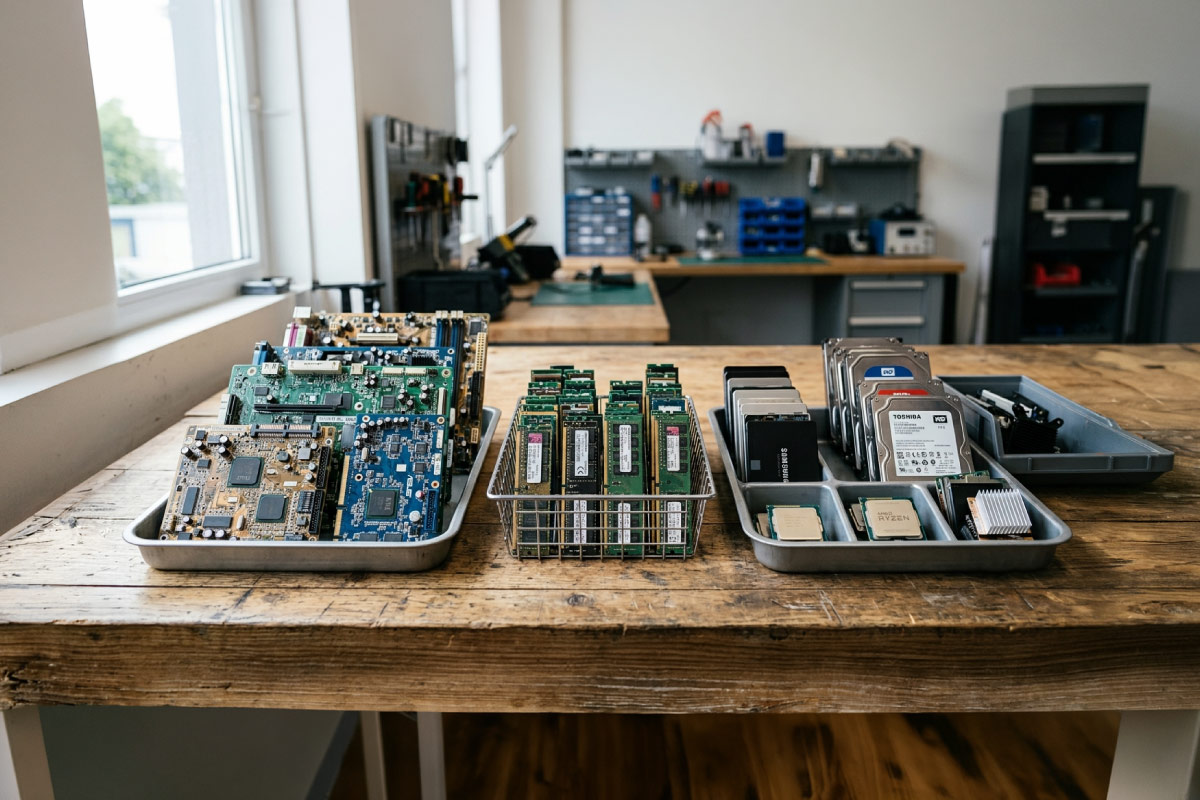
Reuse skips all of it. The same argument applies to components: a working stick of RAM or a healthy SSD pulled from a scrapped machine goes straight back into another one. That is why serious refurbishers hold donor stock rather than sending failed units away whole.
| Reuse (refurbish) | Recycle | |
|---|---|---|
| What happens | Wiped, tested and sold on as a working machine | Shredded and broken down for materials |
| What is kept | The whole device and its manufacturing effort | Some metals, such as aluminium and copper |
| Energy needed | Testing and cleaning | Collection, processing and building a replacement |
| Best for | Working machines | Machines that genuinely cannot be repaired |
The carbon is already spent
Most of a laptop’s lifetime environmental impact happens before anyone switches it on. Mining and refining the metals, fabricating the chips, assembling the unit and shipping it all happen once, at the factory, while the electricity it draws over the following years is small by comparison. So the greenest laptop is usually the one that already exists. Buying a refurbished business laptop spreads that original manufacturing cost over more years of real use instead of starting the cycle again.
What actually stops businesses from passing hardware on
In our experience it is almost never sentiment about the hardware. It is fear about the data. A finance manager who cannot prove a drive was wiped will choose to lock the laptops in a cupboard, and cupboards eventually get cleared.
The fix is straightforward and worth insisting on from whoever collects your old kit:
- A documented wipe of every drive, or physical destruction where the drive has failed
- An asset list matching serial numbers to what was collected
- A certificate covering the machines that could not be recovered
- Confirmation that the operating system is reinstalled from clean media, not just reset
We cover how this works from the buyer’s side in our guide to refurbished laptop data security. Nothing from a previous owner survives a proper refurbishment, and any seller who cannot explain their process is telling you something important.
Who benefits most from the second life
The organisations that gain the most from refurbished hardware are the ones with real budget limits and ordinary computing needs, which is most of the country.
Schools running computer labs need machines that boot quickly, run a browser and a word processor, and survive being used by thirty different people a week. Ex-corporate desktops do this better than cheap new ones, and our Dell desktop stock in particular tends to be easy to service because parts are interchangeable across the OptiPlex families.
NGOs and small offices working to a tight number should look at our cheapest laptops and the clearance shelf, where machines are usually discounted for cosmetic reasons rather than functional ones. A scuffed lid has no effect on the warranty. Larger orders can go through our business and bulk orders team.
What to do with your own old machines
If you have working computers sitting idle, you have three reasonable options and one bad one. Sell or trade them while they still have value. Donate them to a school or NGO after a documented wipe. Hand them to a licensed e-waste handler if they are genuinely dead. The bad option is the storeroom, because value drops every month and the eventual outcome is usually a bin.
Businesses replacing kit on a cycle can plan around this properly. There is a longer discussion of the procurement side in our article on how refurbished laptops fit into sustainable business practice, including how to time a refresh so the outgoing machines still have resale value.
| Option | When it makes sense | What to insist on |
|---|---|---|
| Sell or trade in | Machines under about five years old that still work | A documented data wipe |
| Donate | Working machines a school or NGO can use | A wipe first and a record of what you handed over |
| Licensed e-waste handler | Dead or unrepairable machines | A disposal certificate |
| Storeroom | Never | Value drops every month you wait |
The buying side of the same equation
Every purchase of a second-life machine is one new unit that did not need to be manufactured. That is the entire mechanism, and it works whether or not you care about the environmental angle. Our ex-corporate laptop stock is HP, Dell and Lenovo business models, graded A, B or C for appearance, running genuine Windows Professional with a one-year warranty. The same applies across our refurbished desktops and mini PCs.
Frequently asked questions
Is refurbishing electronics actually better than recycling them?
Yes, while the machine still works. Recycling should be the last step, once a device genuinely cannot be repaired or reused. Reuse avoids both the disposal and the replacement.
Can I donate old computers instead of scrapping them?
You can, and schools and NGOs will usually take them. Wipe the drives first and keep a record of what you handed over. If the machines are too old to run a supported version of Windows, a licensed e-waste handler is the better route.
Is a refurbished laptop really better for the environment than a new one?
In almost every case, yes. Manufacturing dominates a laptop’s footprint, so extending the life of a machine that already exists avoids most of that cost. A new laptop has to earn back its build impact before it compares.
What happens to parts that cannot be reused?
Reputable refurbishers strip usable components for donor stock and send the remainder to licensed recyclers. Batteries and screens in particular should never go into general waste.
Does buying refurbished mean accepting worse hardware?
Not with business-grade stock. A retired EliteBook or ThinkPad was specified for an IT department that had to support it for years, which is a higher standard than most new consumer laptops are built to.
The e-waste problem is not really a technology problem. Working machines are being thrown away because moving them on takes more effort than binning them. Every laptop that goes back into service instead is a small, boring, genuinely useful outcome, and it happens to cost the next owner far less than buying new.