




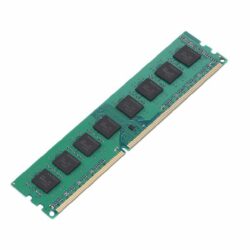
Laptop and Desktop Memory (RAM)
DDR3 and DDR4 upgrades
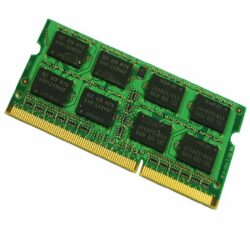
Laptop and desktop memory (RAM) in South Africa: DDR3 and DDR4 SO-DIMM modules for laptops and DIMM modules for desktops, tested before dispatch. More RAM is the cheapest way to make a slow computer feel faster.
- Tested before dispatch
- Laptop and desktop SO-DIMM and DIMM
- Nationwide delivery or collect in store
- Free advice on compatibility
Memory in stock at Device Shop
Nothing matches that combination right now. Try widening the price range or clearing a filter, or tell us what you need.
Upgrade instead of replacing
Adding memory is often the cheapest way to speed up an older computer, especially together with an SSD. If your machine is too old to upgrade, a refurbished laptop or desktop may be better value. See all computer parts.
Memory (RAM): frequently asked questions
How do I know which RAM my computer needs?
It depends on the generation of your computer. Most PCs from about 2011 to 2015 use DDR3, and most from 2016 onwards use DDR4. Laptops use smaller SO-DIMM modules and desktops use full-size DIMMs. Send us your model and we will confirm.
How much RAM do I need?
8GB is enough for Office, browsing and email. 16GB helps with heavy multitasking, large spreadsheets and design software.
Can you install the memory for me?
If you are buying a refurbished laptop or desktop from us, we can fit extra memory before it ships. Ask when you order.
Send us your laptop or desktop model and we will tell you which RAM fits and how much it can take.
Talk to us