




News
Sustainable IT for Business: How Refurbished Laptops Cut Cost and Carbon

Refurbished laptops are one of the few sustainability decisions that also cuts your IT spend, which is why they land so easily with finance teams. Buying ex-corporate hardware keeps working machines out of the waste stream and avoids the manufacturing emissions built into every new device. For an SME kitting out a team, the numbers usually make the environmental argument for you.
Key takeaways
- Manufacturing, not electricity use, dominates a laptop’s environmental footprint.
- The UN’s Global E-waste Monitor put global e-waste at roughly 62 million tonnes in 2022, with only about a fifth formally collected and recycled.
- Ex-corporate machines are built for a long fleet life, so a second cycle of three to five years is realistic.
- Stretching the refresh cycle from three years towards five is the single biggest lever most companies have.
- Refurbished hardware costs far less than new, which funds other sustainability work.
- Under POPIA, the personal information on devices you dispose of is still your responsibility.
- Proper data wiping and a real warranty are what separate refurbishment from dumping.
Why the emissions are already spent
A laptop’s footprint is front-loaded. Extracting the metals, fabricating the chips, assembling the unit and shipping it across the world account for the large majority of the carbon associated with the device. The electricity it uses in an office over five years is comparatively small.
That changes what “green IT” means in practice. Switching a fleet to more efficient new laptops creates a fresh round of manufacturing emissions to save a modest amount of running energy. Keeping a good machine in service for another few years avoids the manufacturing round completely. It is the least glamorous option and the most effective one.
Stretch the refresh cycle first
Many South African companies still replace laptops on a fixed three-year cycle inherited from a lease agreement. For staff who live in a browser and Office, that is early. Machines that get an SSD and a memory upgrade at year three often run comfortably for several more years. In order of impact:
- Audit what you have: note the age, drive type and RAM of every unit.
- Upgrade rather than replace where the chassis and screen are still sound.
- Buy refurbished for genuine replacements and for new headcount.
| Option | Upfront cost | E-waste created | Best fit |
|---|---|---|---|
| Replace with new on a 3-year cycle | Highest | Most | Heavy users with specific new-hardware needs |
| Upgrade SSD and RAM, keep longer | Lowest | Least | Sound machines with staff on Office and browser work |
| Replace with refurbished | Low | Little | New headcount and genuine replacements |
Where the machines come from
Large corporates and government departments replace hardware on a fixed cycle, usually every three years, regardless of condition. The machines that come off those contracts are business-grade to begin with: metal or reinforced chassis, spill-resistant keyboards, serviceable parts and full driver support from the manufacturer.
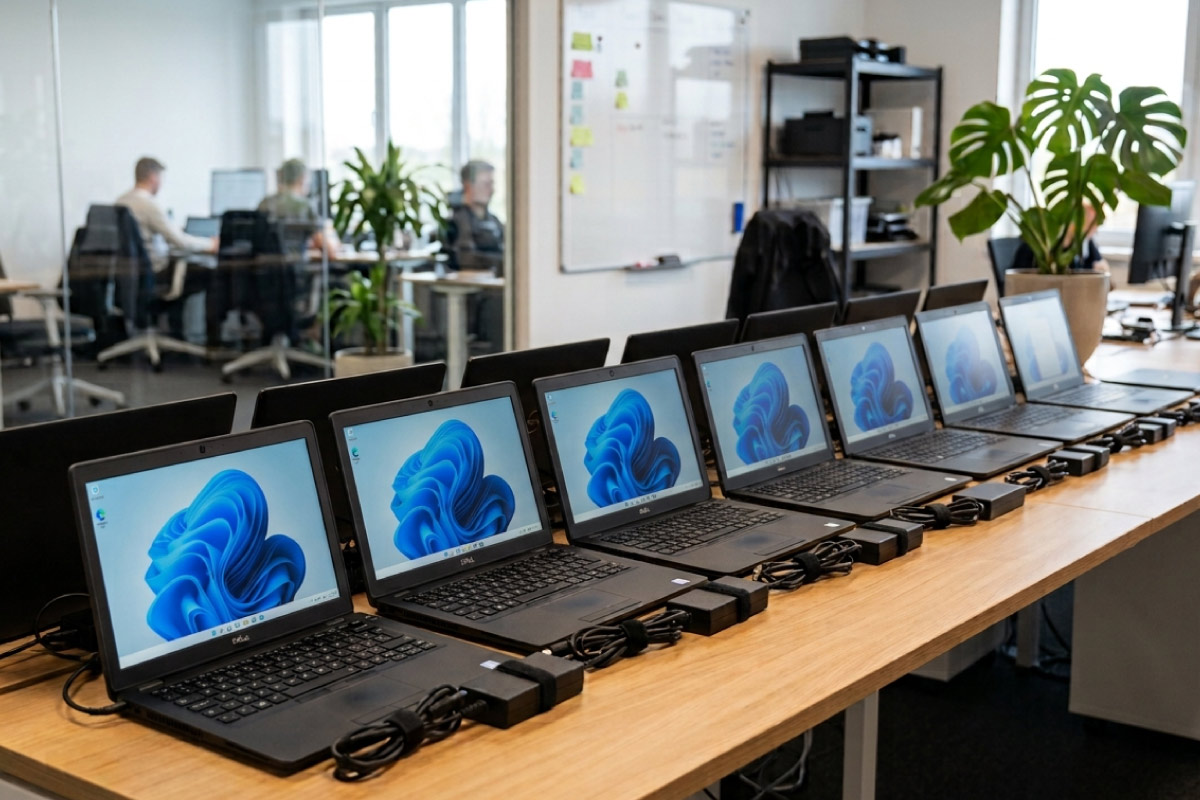
These are not consumer laptops that have been thrashed at home. A Lenovo ThinkPad T490 or an HP EliteBook 840 coming off a corporate fleet has usually spent its life docked on a desk. That is why a second life of another three to five years is a normal expectation rather than an optimistic one, and why the ThinkPad range in particular holds up so well in a second deployment.
What refurbishment actually involves
- Full hardware test of the board, screen, battery, ports and keyboard.
- Secure data wipe of the original drive, then a clean install of genuine Windows Professional.
- Replacement of failed or worn components, commonly batteries and drives.
- Cosmetic grading as A, B or C so buyers know exactly what condition they are getting.
- Sale with a one-year warranty.
The business case, in rands
Sustainability targets tend to compete with the budget. This is one of the few areas where they do not. A refurbished business laptop costs a fraction of a comparable new one, so kitting out a team this way frees up real budget for other priorities. Our refurbished business laptops show live prices, and most fleet buyers find a well-specified model in our laptops under R10 000.
The same logic applies to desks. A refurbished tower with a Core i5 handles accounting packages, browser-based systems and Office comfortably for years, and there is no battery to wear out. See our Core i5 desktops, or all-in-one PCs where desk space is tight. For matched batches of the same model, talk to our business and bulk orders team.
Making it part of policy, not a one-off
The businesses that get real value from this write it into procurement rather than treating it as an occasional saving. A few things that work:
- Set a default: refurbished first, new only where a specific requirement demands it.
- Standardise on one or two models so spares and docks are interchangeable across the office.
- Plan for a four-year second life and budget accordingly instead of buying the cheapest possible unit.
- Send your own retired hardware to a refurbisher rather than to storage, where it quietly loses all its value.
That last point matters more than most companies realise. Machines sitting in a storeroom depreciate to nothing and eventually become the e-waste problem everyone is trying to avoid.
Do not skip the data question
The machines leaving your business carry more risk than the ones arriving. Under POPIA you remain responsible for personal information on any device you dispose of, and a quick format does not clear it. Drives need a proper wipe or physical destruction, and you should keep the record. Our guide to refurbished laptop data security covers the process.
Reporting it honestly
Track a small number of numbers you can defend: the average age of machines in service, new units bought versus refurbished units bought, devices upgraded instead of replaced, and the weight of equipment sent to a registered e-waste handler with the certificate on file.
If you report on environmental impact, keep the claims defensible. You can accurately say that you extended the service life of a stated number of devices and avoided the manufacture of the same number of new ones. Avoid publishing carbon savings figures you cannot source. Auditors and customers respond better to a clear count of machines than to a number pulled from a marketing page.
For teams building a mixed fleet, our business laptop range and refurbished desktop computers come from the same graded, tested stock, so the standard is consistent across whatever mix you end up with.
Frequently asked questions
Is refurbished hardware reliable enough for a business?
Ex-corporate machines were specified for exactly this kind of work. Tested, graded stock with a one-year warranty carries a similar practical risk to new hardware, and failures are usually in consumables like batteries rather than in the machine itself.
What happens to our old data on machines we trade in?
Drives are securely wiped before anything is reinstalled or resold. Ask for confirmation of the method used and keep it on file if your industry requires an audit trail.
Does buying refurbished count towards our sustainability reporting?
It supports it. Extending device life reduces both e-waste and demand for new manufacturing, and it is straightforward to evidence because you can count the units and the years.
How long should we plan to keep a refurbished laptop?
Three to five years is realistic for a Core i5 machine with 8GB or 16GB of RAM and an SSD, provided it stays on a supported version of Windows.
The greenest computer is almost always the one that already exists. For most South African businesses, buying refurbished is not a compromise made for environmental reasons, it is the cheaper option that happens to be the better one environmentally as well. That combination is rare enough to be worth acting on.