




News
How to Set Up an Ergonomic Workspace with a Refurbished Laptop
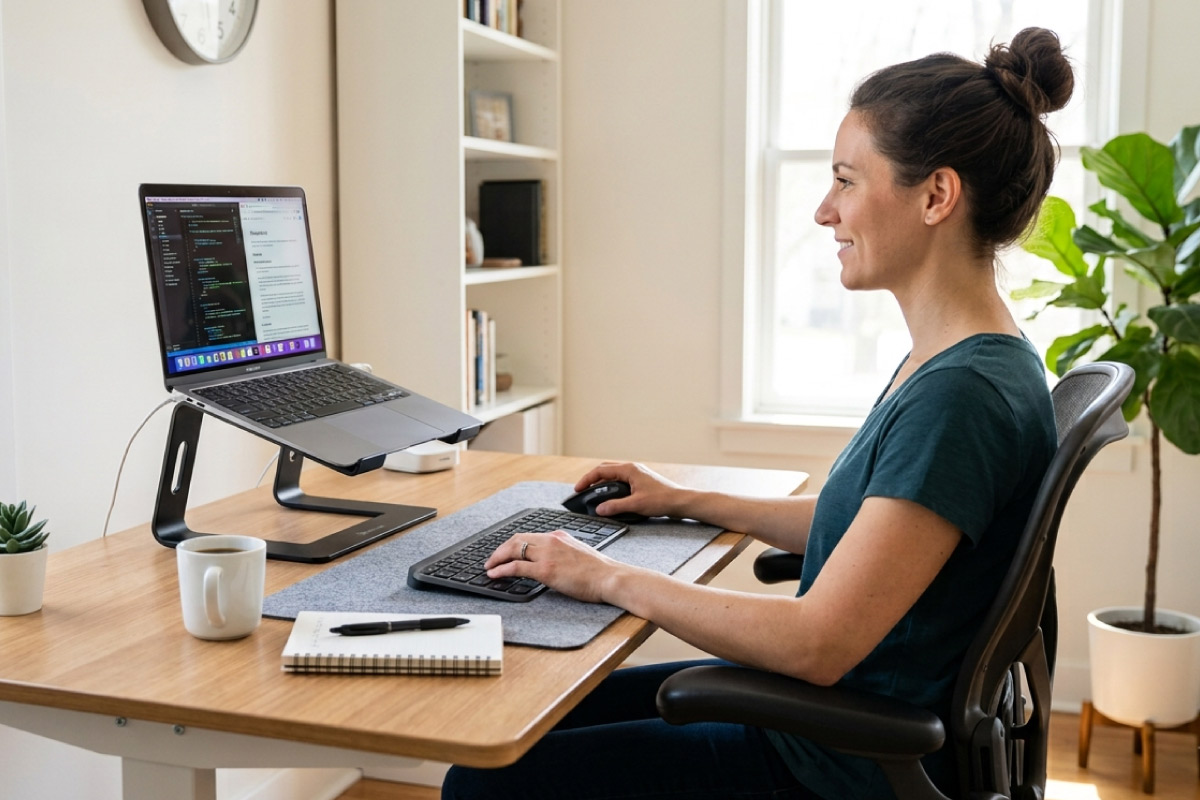
An ergonomic workspace built around a refurbished laptop costs a lot less than most people expect, and it fixes the neck and shoulder pain that comes from hunching over a 14 inch screen all day. The laptop itself is rarely the problem. The way it sits on your desk is.
Quick answer: raise the laptop screen to eye level, add a separate keyboard and mouse, and get your chair and desk heights right. That combination solves most home-office discomfort for a few hundred rand in accessories.
Key takeaways
- A laptop used on its own forces a choice between a bad neck angle and a bad wrist angle. A stand plus an external keyboard removes that trade-off.
- Screen top at eye level, elbows at about 90 degrees, feet flat. Those three checks cover most of it.
- An external monitor is the single biggest comfort upgrade, and second-hand business monitors are cheap.
- Docked at one desk most of the time? A small-form desktop is often the better buy.
- Business-grade refurbished machines have the ports you need for a docked setup, which many new consumer laptops no longer do.
Start with the screen height
Sit down normally and look straight ahead. Your eyes should land on the top third of the screen. On a laptop sitting flat on a desk, they land somewhere near the keyboard, which is why your neck aches by 3pm.
A proper laptop stand fixes this in one move. A stack of reams of paper does the same job for free if you are testing the idea before spending. Either way, once the screen goes up, the built-in keyboard becomes unusable, which brings us to the next piece.
External keyboard and mouse are not optional
Once the laptop is raised, you need a separate keyboard and mouse. This is the part people skip, and it is the part that does the most work.
- Keep the keyboard flat or tilted slightly away from you, not propped up on its legs.
- Elbows near your sides at roughly 90 degrees, wrists straight rather than bent back.
- Mouse on the same level as the keyboard, close enough that you are not reaching.
- A larger mouse suits most adult hands better than the compact travel models.
Ex-corporate keyboards and mice come through in volume and cost very little. Our rundown of accessories worth buying second-hand covers what holds up and what does not.
Chair and desk height
Feet flat on the floor, thighs roughly parallel to it, lower back supported. If your desk is too high and you cannot lower it, raise the chair and put a box or footrest under your feet.
Most South African home desks sit at around 750mm, which is fine for taller users and slightly high for shorter ones. Adjust the chair first, then deal with the gap at your feet.
Tip: if your forearms rest on the desk edge while typing, the desk is too high or the chair too low. That pressure point is a common cause of numb fingers.
Add a monitor before you add anything else
If you have budget for one upgrade, make it an external screen. A 22 to 24 inch monitor at arm’s length, top edge at eye level, does more for comfort than any stand or cushion.
You can run the laptop closed and use the monitor alone, or keep the laptop open beside it as a second screen for mail and chat. Second-hand business monitors from the same corporate fleets are inexpensive, and we set out what to look for in choosing a used monitor.
Check the ports before you plan the setup
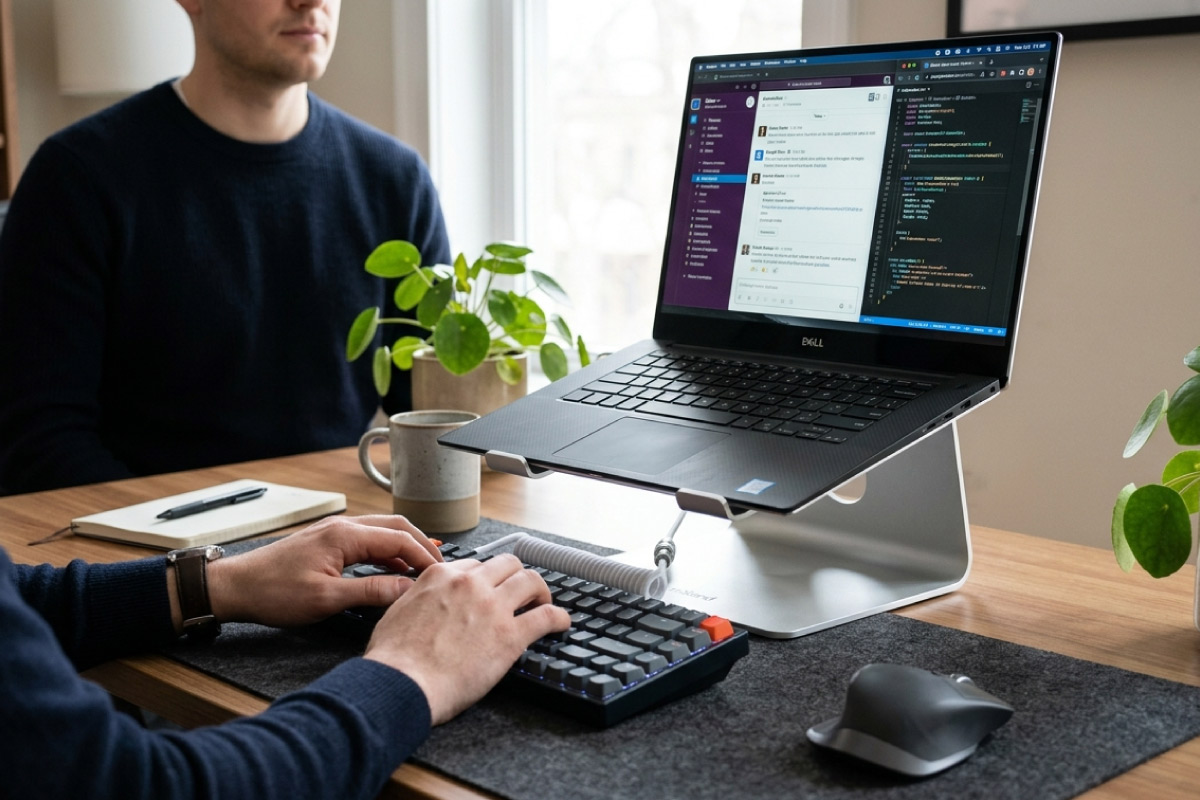
An ergonomic setup lives or dies on connectivity. You need a display output, enough USB ports for keyboard and mouse, and ideally power delivery over USB-C so one cable handles everything.
This is where business machines beat consumer models. An HP EliteBook 840 or a Dell Latitude 7400 typically carries HDMI or DisplayPort, USB-A, USB-C and often a dock connector, so you plug in once and walk away. Most machines across our refurbished laptop stock come from that ex-corporate world, so the ports are usually there.
When a desktop is the better answer
Be honest about how often the laptop actually leaves the house. If it lives on one desk, you are paying a portability premium and accepting a small screen for no reason.
A small-form or mini desktop gives you more performance for the money, runs cooler and is easier to upgrade later. A Dell 3060 with a Core i5-8500T is about R6 325 including VAT, and a machine from the Core i5 desktop range at that price will comfortably outlast the setup you build around it. There is a full spread of towers, small-form and mini units in the refurbished desktop range.
For a tidy desk with one power cable and no tower on the floor, an all-in-one is worth a look. A Dell 5260 all-in-one with a Core i5-8500 comes in around R8 623.85 including VAT, and the all-in-one section has a reasonable choice of screen sizes.
Frequently asked questions
What is the cheapest way to improve laptop ergonomics?
Raise the screen and add a keyboard. A basic stand and a wired keyboard and mouse set will run you a few hundred rand and will make more difference than an expensive chair on its own.
Can I close the laptop and use only an external monitor?
Yes. Windows 11 Pro lets you set the machine to stay awake with the lid closed. Give it some airflow, since a closed laptop sitting on a soft surface will run hot.
Is a refurbished laptop powerful enough for a dual-screen setup?
Almost always. Business laptops from the last several generations drive one or two external displays without trouble. Check the specific model’s maximum supported resolution if you plan to run two 4K screens.
How long should I sit before moving?
Stand up every 30 to 45 minutes, even briefly. No desk setup, however well arranged, replaces changing position through the day.
Good ergonomics is mostly about height and posture, not about spending money. Get the screen up, get your hands down, sort out the chair, then upgrade the hardware if it still makes sense. Doing it in that order means whatever you buy afterwards actually earns its place on the desk.