




News
Should You Upgrade a Refurbished Laptop to an SSD?
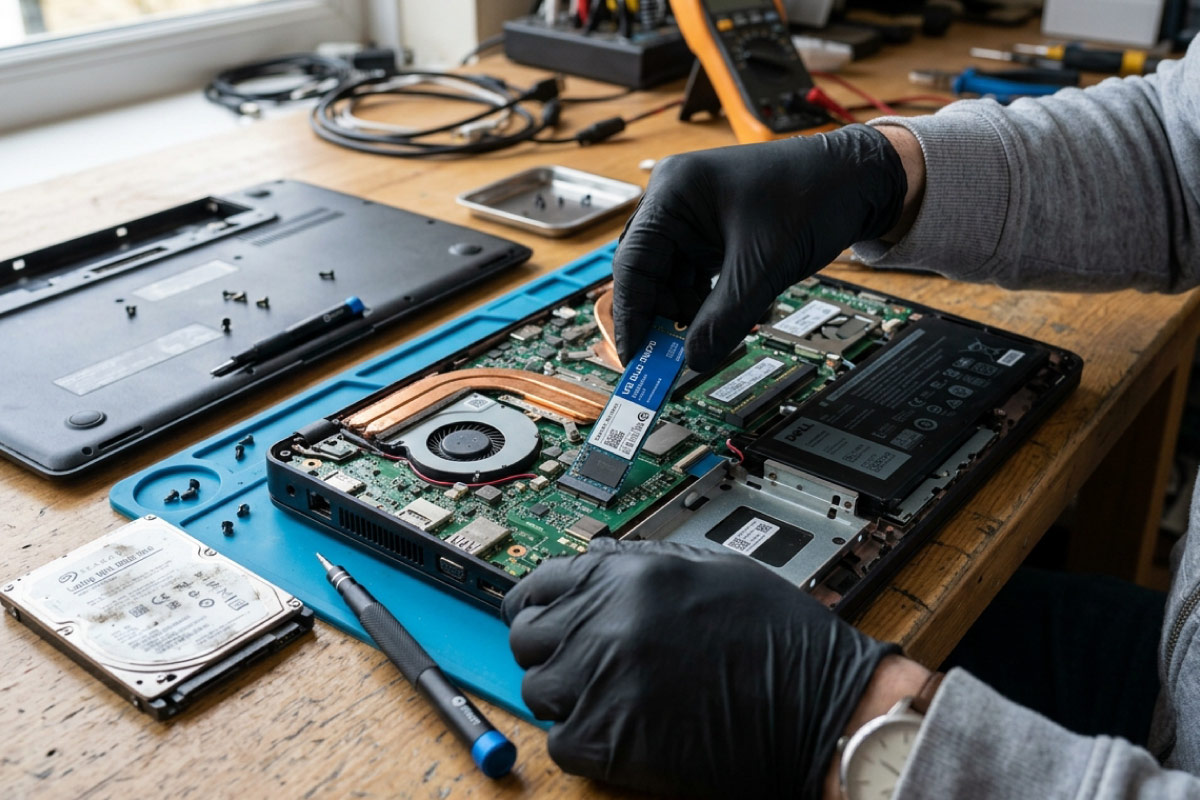
An SSD is the single biggest speed boost you can give an older laptop. The good news for most of our customers is that the job is already done, because every refurbished laptop we sell ships with an SSD as standard. If you are keeping an older machine with a mechanical hard drive, or thinking about a bigger drive, here is what actually matters.
Quick answer: Yes, swapping a mechanical hard drive for an SSD is worth it on almost any laptop. Our refurbished stock already includes one, so you only need to upgrade an older HDD machine or move up to more storage.
Key takeaways
- An SSD cuts boot and load times sharply compared with a spinning hard drive.
- Every refurbished laptop and desktop we sell already comes with an SSD.
- Adding a larger or second SSD is a cheap, simple upgrade on most business machines.
- SSDs use less power and have no moving parts, which suits laptop life.
- Check whether your model takes a 2.5-inch SATA or an M.2 NVMe drive before buying one.
What an SSD actually changes
Swap a hard drive for an SSD and the same laptop feels years newer. Windows boots in seconds rather than a minute. Programs open as you click them, and the machine stops stalling when several tabs and apps are open at once. The processor and RAM matter, but on an older laptop the hard drive is usually the part holding everything back.
You probably already have one
This is the part people miss. The refurbished laptops in our range already run on SSDs, and so do our refurbished desktops, so a new machine from us needs no storage upgrade at all. If you are buying from us, put your attention on the processor and RAM instead, and treat the SSD as a box already ticked.
When an upgrade is actually worth it
There are two clear cases. The first is an older laptop you already own that still runs a mechanical drive, where an SSD is the cheapest way to get a few more years out of it. The second is running low on space, where moving from a 256GB to a 512GB or 1TB SSD buys breathing room. In both cases the part is affordable and the fitting is straightforward on most business laptops.
SATA or NVMe: know what your model takes
Not every laptop takes the same drive. Older models like the HP EliteBook 820 G3 use a 2.5-inch SATA SSD. Newer ones like the EliteBook 840 G6 take a faster M.2 NVMe stick, and some have room for both. Check your exact model before you buy, since the two are not interchangeable.
Tip: Search your model number plus the words storage type, or look it up in the maintenance and service guide, before ordering a drive. A two-minute check saves a return.
Rather not open it up?
If opening a laptop is not for you, buy one with the storage you need from the start. A Core i5 machine with a 512GB SSD covers years of documents, photos and software for most people, with nothing to fit yourself. For a deeper look, our note on choosing the right processor helps you balance speed against price, and if battery life is on your mind, we have practical tips for that too.
Frequently asked questions
Do your refurbished laptops come with an SSD or do I need to add one?
They come with an SSD already fitted. Every laptop and desktop we sell runs on solid-state storage, so there is nothing to upgrade out of the box.
Is it worth putting an SSD into my old personal laptop?
If it still has a mechanical hard drive, yes. It is the most cost-effective upgrade there is and will make an old machine usable again, as long as the rest of the laptop is sound.
How much storage do I really need?
For everyday work and study, 256GB is enough if you lean on cloud storage. If you keep a lot of photos, video or large software on the machine, choose 512GB or more.
An SSD is the upgrade that gives the most speed for the least money, which is exactly why we fit one to every machine before it goes out. If you are shopping with us, the work is done. If you are reviving an older laptop of your own, an SSD is almost always the right first move.