



News
The Best Refurbished Keyboards, Mice and Accessories for Your Setup
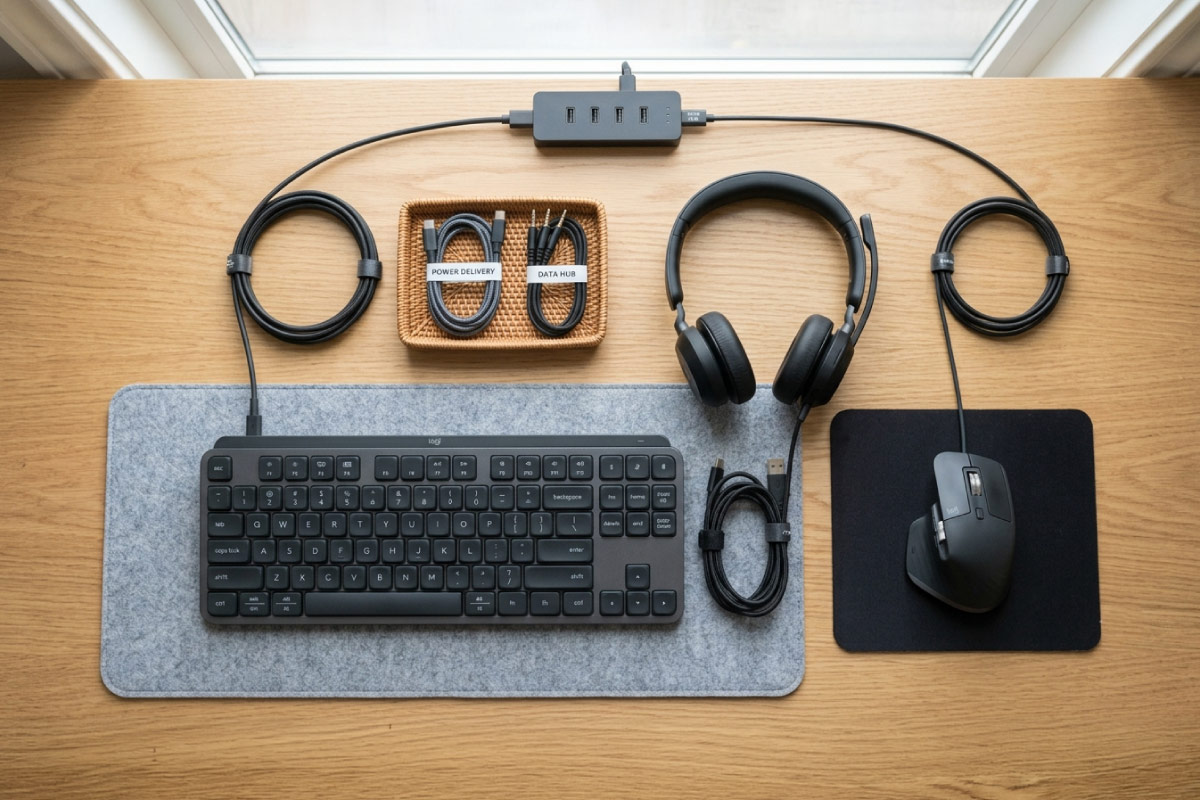
The computer is only part of a good setup. The right keyboard, mouse and accessories make everyday use more comfortable and productive, and buying them refurbished or used keeps the cost down. Here is how to choose accessories that are worth it.
Key takeaways
- A comfortable keyboard and mouse make the biggest day-to-day difference.
- Refurbished and used peripherals offer great quality for less.
- A second monitor is one of the best value upgrades for productivity.
- Match accessories to how you actually work or play.
Start with the keyboard and mouse
These are what you touch all day, so comfort matters most. Look for a keyboard with a solid, quiet typing feel and a mouse that fits your hand. Business-grade refurbished peripherals are built to last and cost far less than premium new gear. They finish off any setup nicely, whether you built it around refurbished computers or one of our refurbished laptops.
Accessories worth adding
- A second monitor: one of the cheapest ways to get more done.
- A webcam and headset: essential for clear video calls.
- A docking station: turns a laptop into a full desktop setup in seconds.
- A USB hub: adds ports for drives, peripherals and displays.
- An external drive: handy for backups and extra storage.
If you want to upgrade the machine itself as well, our computer parts and upgrades cover RAM, storage and more.
| Accessory | Best for | What to check |
|---|---|---|
| Keyboard and mouse | Everyone | Comfort, layout, wired or wireless |
| Second monitor | Office work and study | Size, resolution and the ports it takes |
| Webcam and headset | Video calls | 1080p camera, clear microphone |
| Docking station | Laptop users at a desk | Compatibility with your laptop port |
| USB hub | Laptops with few ports | USB speed and whether it carries video |
| External drive | Backups | SSD for speed, capacity for your files |
Build the setup around your needs
An office worker benefits from a second screen, a comfortable keyboard and a good webcam. A student might prioritise a docking station and external storage. A gamer will want a responsive mouse and a mechanical keyboard. Spend where it matters for you.
Frequently asked questions
Are refurbished keyboards and mice worth buying?
Yes. Business-grade refurbished peripherals are durable and cost much less than new. They are a smart way to complete a setup on a budget.
What accessories should I buy first?
Start with a comfortable keyboard and mouse, then add a second monitor. Those three give the biggest boost to comfort and productivity.
Can I use these accessories with a laptop?
Yes. A docking station or USB hub lets a laptop drive an external keyboard, mouse and monitor, giving you a full desktop experience.
The right accessories make a real difference for very little money, especially when bought refurbished. Start with comfort, add what suits your work, and you will get far more from your setup.