



News
HP EliteBook vs Dell Latitude vs Lenovo ThinkPad: Which Refurbished Business Laptop Is Right for You?
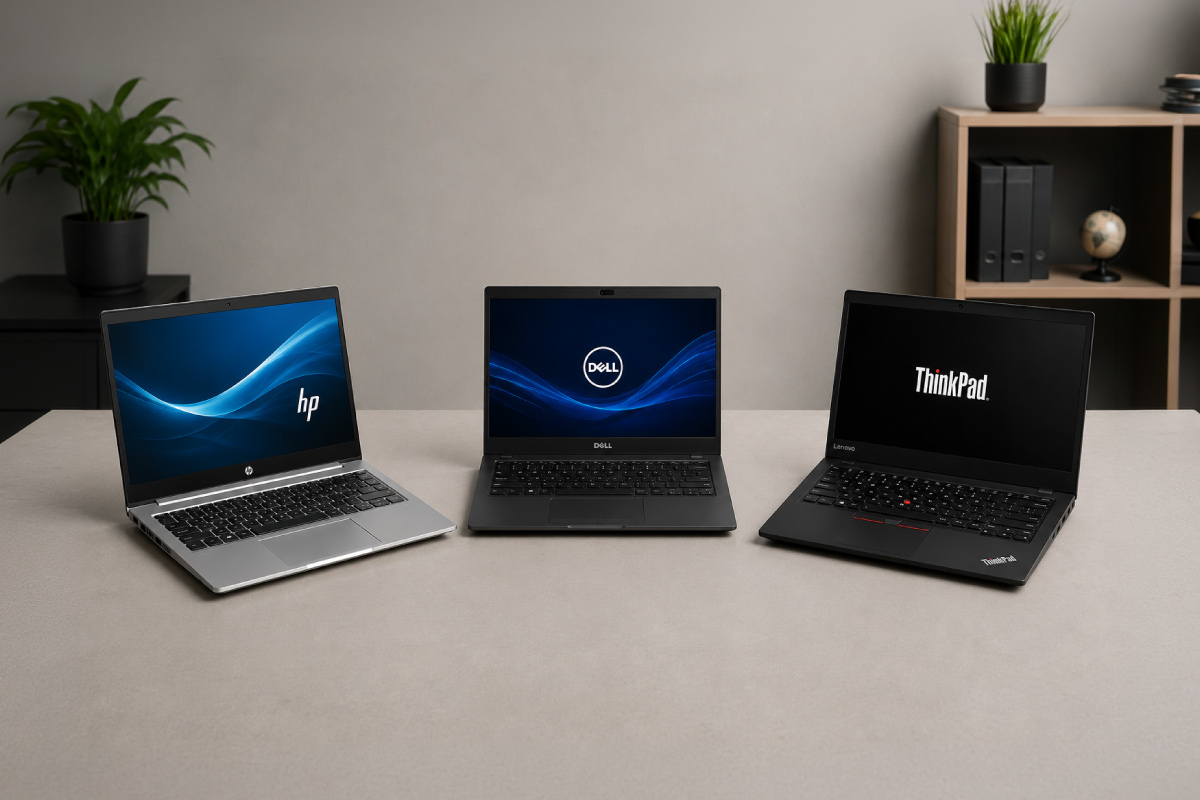
If you are shopping for refurbished business laptops in South Africa, three names come up again and again: the HP EliteBook, the Dell Latitude and the Lenovo ThinkPad. These are the ex-corporate workhorses that fill most of the refurbished market, and for good reason. They were built to survive years of daily office use, spare parts are easy to find, and they hold up far better than the cheap consumer laptops sold at the same price.
The catch is that each range has its own personality. One is built for typing all day, another for portability, another for quick servicing. This guide breaks down how the three compare so you can match the right machine to the way you actually work.
Quick answer: for long typing sessions and durability, choose a ThinkPad. For the widest model choice and the easiest servicing, choose a Latitude. For a premium feel and sharp screens, choose an EliteBook. All three are smart buys when they come with a real warranty and a genuine copy of Windows.
Shop by brand
Every refurbished business laptop we have in stock, with live prices, genuine Windows Pro and a 1-year warranty:
Refurbished HP EliteBook laptopsRefurbished Dell Latitude laptopsRefurbished Lenovo ThinkPad laptops
📋 Key takeaways
- HP EliteBook: premium build and good screens, best when you want a machine that looks and feels high-end.
- Dell Latitude: the all-rounder, with the widest choice of models and excellent local parts support.
- Lenovo ThinkPad: the best keyboard and famously tough, a favourite of writers, coders and admin teams.
- Specs beat badges: a Core i5 with 8GB of RAM and an SSD will outrun a fancier model still running an old hard drive.
- Buy on condition, specs and warranty, not just the logo on the lid.
What “ex-corporate” really means, and why it matters
Almost every quality refurbished laptop started life in a company. Businesses buy the higher business lines from HP, Dell and Lenovo, run them on a three or four year refresh cycle, then sell the fleet on. Those business ranges are built to a different standard than the consumer laptops you see on a retail shelf.
That usually means a metal or magnesium chassis instead of flexing plastic, spill-resistant keyboards, security features like a TPM chip and a fingerprint reader, and proper docking support. It also means parts and chargers stay available for years, which is exactly what you want in a second-hand machine. This is why ex-corporate models make up most of our refurbished laptop line-up rather than ex-consumer ones.
HP EliteBook and ProBook
HP splits its business laptops into two tiers. The EliteBook is the premium line, with slim aluminium and magnesium bodies, bright screens and a high-end feel. The ProBook sits a step below: a little more plastic, a little heavier, more affordable, but still built for daily business use. Common refurbished models include the EliteBook 840 G5 and G6 and the ProBook 450 G6.
If image and screen quality matter to you, the EliteBook is hard to beat at this price. The ProBook is the value pick when you want HP reliability without paying the premium. You can see what is in stock across both tiers on our refurbished HP laptops page.
✓ Best for: client-facing staff, managers, anyone who wants a premium look
✓ Pros: excellent build, bright screens, slim and light
✓ Cons: EliteBooks cost a little more than equivalent rivals
Shop refurbished HP EliteBook and ProBook laptops: every HP in stock, filterable by model, processor and screen size.
Dell Latitude
The Dell Latitude is the safe, sensible all-rounder, and it is often the easiest range to buy and to live with. Dell runs two main tiers: the Latitude 5000 series for mainstream work and the thinner, lighter 7000 series for people on the move. Popular refurbished picks are the Latitude 5400, 7400 and 7490.
Latitudes earn their keep with rock-solid driver support and parts that are available almost everywhere in South Africa, which keeps any future repair quick and affordable. The keyboards are comfortable and the hinges are built to last. Browse the current Dell Latitude stock to compare generations and screen sizes.
💡 Pro tip: Dell model numbers are easy to read once you know the trick. The first digit is the tier, where 5 is mainstream and 7 is premium, and the last two digits point to the generation, so a 7400 is newer than a 7390.
Shop refurbished Dell Latitude laptops: every Dell in stock, with live prices.
Lenovo ThinkPad
If you type for a living, the Lenovo ThinkPad is usually the one to beat. The keyboard is the best in the business, the red TrackPoint nub still has a loyal following, and the matte screens are easy on the eyes during long days. ThinkPads are also tough and simple to open up, so adding more RAM or a bigger SSD is straightforward. Look out for the T490, T480, L490 and the lightweight X1 Carbon.
The trade-off is the understated, all-black look, which some people love and others find dull. Function over fashion has always been the ThinkPad way. The ThinkPad range is a strong shout for heavy multitaskers and anyone who writes or codes all day.
📘 Good to know: ThinkPads come in families. The T series is the mainstream workhorse, the X series is ultraportable, and the L series is the budget-friendly option. Match the letter to your priority before you shop.
Shop refurbished Lenovo ThinkPad laptops: every ThinkPad in stock, from the T-series to P-series workstations.
EliteBook vs Latitude vs ThinkPad at a glance
| Range | Best for | Build and feel | Price tier |
|---|---|---|---|
| HP EliteBook | A premium look for client-facing work | Slim metal, bright screen | Premium |
| HP ProBook | HP reliability on a budget | Sturdy, part metal | Budget to mid |
| Dell Latitude | The flexible all-rounder | Solid, easy to service | Budget to premium |
| Lenovo ThinkPad | Typing, durability, upgrades | Tough, matte, classic | Mid to premium |
Prices move with model, generation and cosmetic grade, so treat the tiers above as a guide rather than a fixed rule. As a rough benchmark, a good refurbished business laptop in South Africa usually lands somewhere between R3,000 and R9,000, which is well below the cost of a comparable new machine.
How to match a range to your work
The brand on the lid matters less than the parts inside. Start with the work you do, then pick the specs to suit, and let that guide which range and model you choose.
- Admin, email, browsing and study: an Intel Core i5, 8GB of RAM and a 256GB SSD is the comfortable sweet spot. Our Core i5 models cover most of this ground.
- Lots of tabs, spreadsheets and video calls: aim for 16GB of RAM so nothing chokes when you multitask.
- Design, development or heavy data work: a Core i7 with 16GB and a larger SSD will keep up.
If you are unsure how much processor you really need, our guide to weighing up a laptop processor explains the trade-offs in plain language.
What to check before you buy
Whichever range you land on, the same short checklist protects you:
- Storage: insist on an SSD, never an old mechanical hard drive.
- Memory: 8GB minimum, 16GB if you multitask hard.
- Battery health: ask for the current battery condition, not just that it works.
- Screen and keyboard: check for marks, dead pixels and worn keys.
- Software: make sure it ships with a genuine copy of Windows 11 Pro.
- Cover: a real warranty and a charger in the box.
Every machine we sell comes with genuine Windows 11 Pro and a one-year warranty, so that last point is already handled. For a deeper run-through, our guide on spotting a high-quality refurbished machine is worth a read.
⚠️ Watch out: a low price with no warranty is a warning sign, not a bargain. Grey imports and private second-hand sales leave you with no cover if something fails in the first month.
One last thought: if the laptop will mostly sit on a desk, a refurbished desktop will stretch the same budget into more power and a bigger screen. Portability is the only reason to pay the laptop premium.
Frequently asked questions
Which is the most reliable refurbished business laptop?
All three ranges are reliable because they were built for business fleets. The Lenovo ThinkPad has the strongest reputation for durability, but a well-refurbished Latitude or EliteBook will serve you just as well. Condition and refurbishment quality matter more than the brand.
Is an HP EliteBook better than a Lenovo ThinkPad?
It depends on what you value. The EliteBook usually has the more premium look and screen, while the ThinkPad has the better keyboard and is easier to upgrade. For presentations and client meetings, lean EliteBook. For all-day typing, lean ThinkPad.
What specs should a refurbished business laptop have in 2026?
As a baseline, look for an Intel Core i5 of the 8th generation or newer, 8GB of RAM and a 256GB SSD. Step up to 16GB of RAM and a Core i7 if you run heavy applications or keep dozens of browser tabs open.
Do refurbished business laptops come with a warranty?
They should. Ours include a one-year warranty, genuine Windows 11 Pro and a seven-day return window, which removes most of the risk of buying second-hand. Always confirm the warranty before you pay.
Pick the range that fits how you work, check the specs and the cover, and a refurbished business laptop will give you years of dependable service for a fraction of the new price. When you are ready, compare the current EliteBook, Latitude and ThinkPad stock side by side and buy the one that matches your shortlist.